
*To change your phone number and email address, make sure you have two-factor authentication enabled, that is, two of the Google Authentication, phone, and email addresses are bound.
How to Reset Your Phone Number/Email Address on the KAI Website?
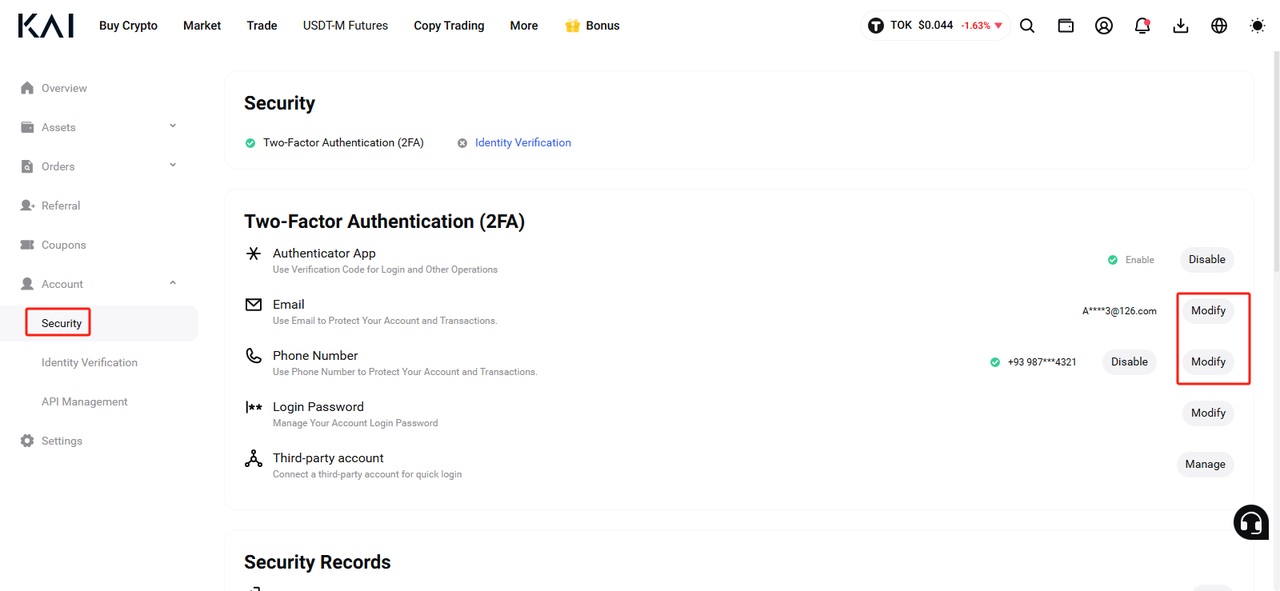
1.Log in to your KAI account and navigate to 【 Personal Center 】>【 Account 】>【 Security Settings】 in the top right corner.

2.In the Security Center, locate the [Change] button neKAI to your mobile phone/email address.
 3.Enter your new mobile phone number or email along with the verification code and security information on the page. Click "OK" to confirm.
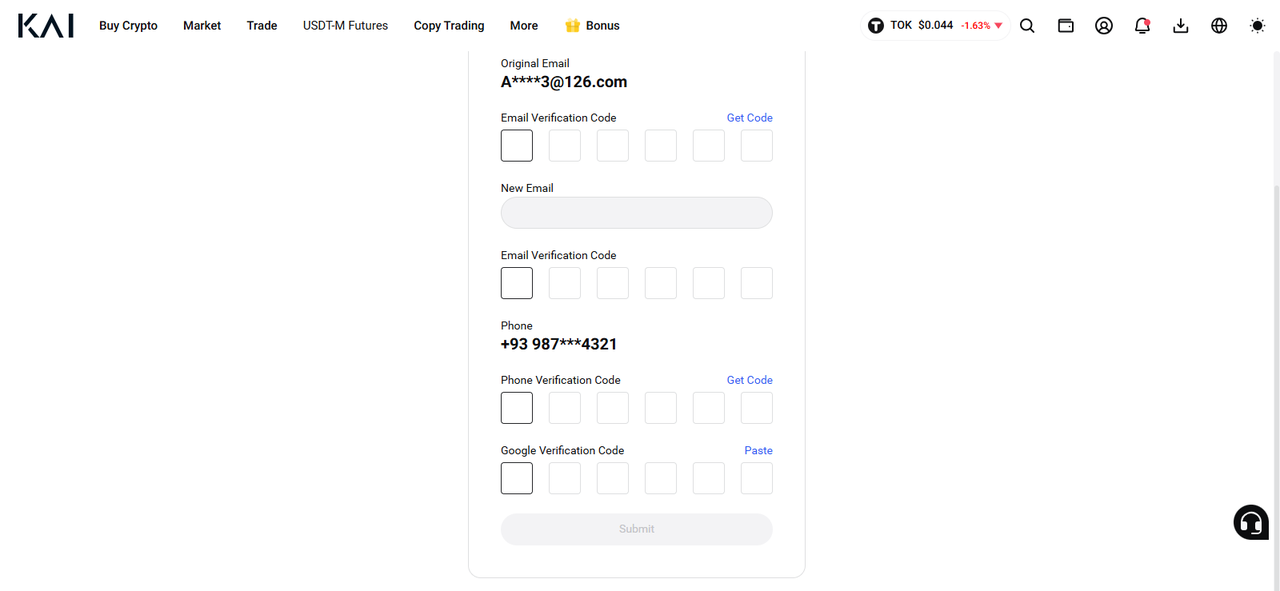
Note: Withdrawal and P2P selling will be disabled for 24 hours after changing your contact details.
How to Reset Your Phone Number/Email on the KAI APP?
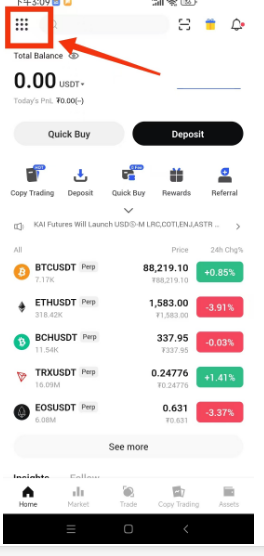
1.Sign in to the KAI App and access [Personal Center] in the top left corner.
2.Within the Security , find the [Change] option neKAI to your current mobile phone/email.
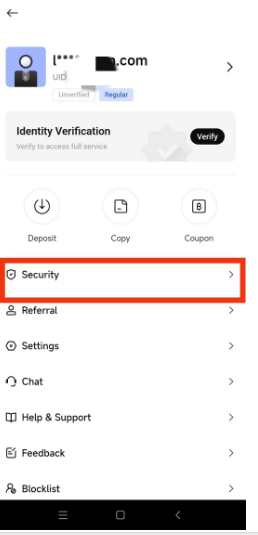
2.Within the Security , find the [Change] option neKAI to your current mobile phone/email.
3.Input your new contact information and necessary verification codes on the page. Submit the changes by clicking "Submit."
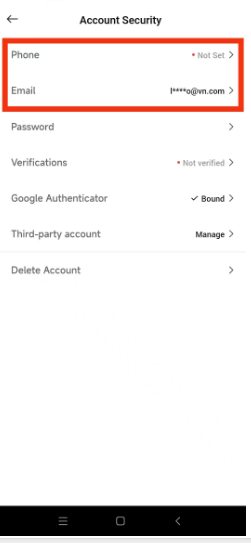
Note: Withdrawal and P2P selling will be temporarily disabled for 24 hours after updating your contact details.
Ensure two-factor authentication is enabled before making any changes to your phone number or email on KAI.
Comments
0 comments
Please sign in to leave a comment.